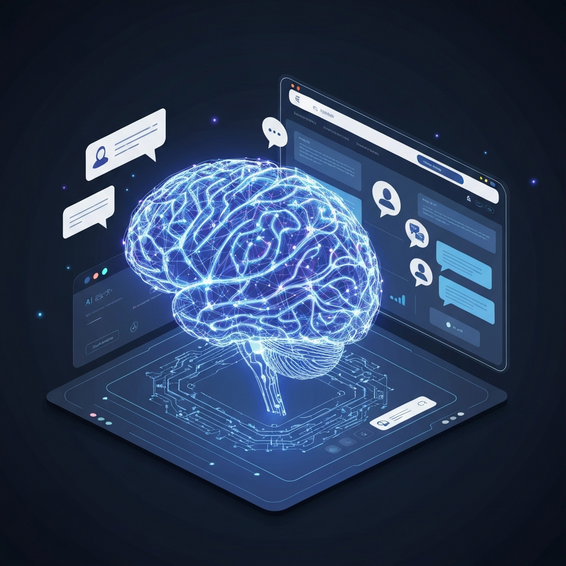
How AI Agents Automate Business Workflows: Technical Guide
Are you tired of watching your IT team burn hours on repetitive, mind-numbing tasks? Relying on manual processes just doesn’t cut it anymore. Between data silos, API bottlenecks, and the inevitable slip-ups of human error, sticking to the old way of doing things is a surefire way to kill productivity, stall revenue growth, and drag down your team’s efficiency.
If you’ve been wondering exactly how AI agents automate business workflows, you’re in the right place. Artificial intelligence is completely reshaping how enterprises operate, doing everything from handling basic data entry to orchestrating complex DevOps pipelines. Forward-thinking organizations are finally ditching rigid scripts in favor of dynamic, self-healing systems.
Let’s walk through the architectural foundations, practical fixes, and advanced implementations you need to get these intelligent systems up and running. Whether you’re an IT director, a DevOps engineer, or a technical founder, these insights will give you the roadmap to building much more resilient operations.
Understanding How AI Agents Automate Business Workflows
To really get a handle on how AI agents automate business workflows, we need to clarify what these systems actually are. Think about your standard automation scripts—they follow strict, predefined rules. Modern intelligent agents are different. They use large language models (LLMs) to understand context, reason through tricky problems, and make dynamic decisions on the fly.
These aren’t just simple bots. They can interact directly with your backend REST APIs, interpret complex database schemas, and even debug application code as issues happen. By stringing together multi-step tasks, AI workflow automation turns static, breakable procedures into self-healing pipelines that actually know how to handle exceptions.
At the end of the day, generative AI bridges the awkward gap between structured data operations and unpredictable human requests. By bringing real semantic understanding to raw computational tasks, agents give your organization a serious edge in both speed and accuracy.
The Root Cause: Why Manual Workflows Fail in Modern IT
Before jumping into advanced AI solutions, it helps to understand why traditional systems are holding us back. Legacy software environments typically rely on fragmented architecture, monolithic codebases, and hard-coded business logic. The result? They constantly need a human to step in and fix things.
As soon as an unexpected variable pops up—like a tweaked API endpoint or a weirdly formatted client email—rule-based automation just breaks. If you look at RPA vs AI, the difference is night and day. A standard Robotic Process Automation (RPA) bot will crash the moment an application’s interface changes. An AI agent, however, will intelligently read the screen or the updated API documentation and adapt to the new structure on its own.
Clinging to these legacy processes is exactly what causes severe data bottlenecks, massive IT backlogs, and incredibly expensive system downtime. Intelligent agents solve this root problem by weaving continuous adaptability and resilient error-handling right into your tech stack.
Quick Fixes: Basic AI Automation Solutions
You don’t have to rip out and replace your entire cloud infrastructure to start benefiting from business process automation. In fact, starting small is usually the smartest approach. Here are a few foundational, highly actionable ways to weave intelligent agents into your daily operations.
- Automated Triage and Ticketing: Use AI to categorize and route your incoming IT support tickets. An agent can read a user’s natural language request, figure out the severity based on historical data, and immediately assign it to the right DevOps engineer.
- Smart Data Extraction and Formatting: Stop doing manual data entry. Instead, deploy agents to pull structured JSON data out of messy PDFs, vendor emails, and complex invoices. It’s a quick win that practically eliminates human transcription errors overnight.
- Intelligent Alert Management: Hook up a lightweight AI agent to monitoring tools like Grafana or Datadog. Rather than waking your team up for a harmless CPU spike, the agent analyzes logs in real time and only escalates the anomalies that actually matter.
These basic setups deliver immediate, easy-to-measure ROI. More importantly, they free up your highly paid engineers so they can focus on strategic architecture instead of babysitting mundane system maintenance.
Advanced Solutions: Architecting Multi-Agent Systems
Of course, if you’re leading an enterprise DevOps team, simple API integrations probably aren’t enough. Scaling at that level demands robust, custom-built orchestration frameworks. That’s where advanced multi-agent systems step in to totally redefine what’s possible in your operations.
Deploying Collaborative Agent Roles
Frameworks like AutoGen, CrewAI, and Microsoft’s Semantic Kernel let you deploy a team of distinct AI models that actually collaborate in a shared workspace. You can hand out highly specific roles to each one—picture a researcher agent, a senior coding agent, and a strict QA testing agent. They work side-by-side to review each other’s outputs, debate logic, and polish the final product before any code gets executed.
Containerization and Memory Integration
Architecturally speaking, these complex multi-agent setups need a rock-solid foundation in containerization and microservices. By spinning up your executing agents inside isolated, ephemeral Docker containers, you make sure that a rogue process or a hallucinated command can’t take down your core infrastructure.
On top of that, advanced systems use vector databases—like Pinecone, Qdrant, or Milvus—to give your agents long-term, semantic memory. Using a Retrieval-Augmented Generation (RAG) approach, these agents can actively search through your internal wikis and codebase documentation whenever they need to solve highly specific, otherwise undocumented technical issues.
Best Practices for Implementing AI Workflows
You can’t just unleash autonomous agents at an enterprise scale without putting strict governance and guardrails in place. Without the right technical oversight, AI systems can hallucinate facts, get trapped in infinite execution loops, or accidentally trigger destructive commands on your backend.
Security has to be priority number one. For any high-stakes workflow, always build in a “Human-in-the-Loop” (HITL) architecture. This setup ensures a real human administrator reviews and approves critical actions—like dropping a production database or firing off a mass client email—before anything actually happens.
It’s also vital to apply strict API rate limiting and set up proactive budget monitors to prevent runaway LLM token costs. Make sure you’re enforcing the Principle of Least Privilege (PoLP) through IAM roles on all your agent service accounts. If an agent only has access to the exact data it needs for a specific task, you heavily limit the blast radius if a breach ever occurs.
Recommended Tools and Frameworks
Building out these robust workflows is a lot easier (and faster) when you have the right tech stack. If you’re looking to accelerate your agent deployment, here are a few platforms we highly recommend:
- LangChain and LangGraph: These are essential Python and TypeScript frameworks for building highly custom, stateful agent workflows from the ground up. They’re practically a must-have if you’re dealing with complex logic.
- Make.com: An incredibly powerful visual builder that shines when it comes to rapid API integrations. Try Make.com for visual workflow automation if you want a fast, intuitive way to connect your tools.
- OpenAI and Anthropic APIs: The foundational LLM backbones that provide the heavy-lifting reasoning capabilities your intelligent agents need to function.
- n8n: An excellent self-hosted alternative for workflow orchestration. It’s incredibly capable and perfect for both privacy-focused HomeLab tinkerers and highly secure enterprise environments.
FAQ Section: AI Workflow Automation
What is the exact difference between RPA and AI agents?
Traditional Robotic Process Automation (RPA) follows rigid, hard-coded rules. Sure, it mimics human clicks, but it breaks the second a UI or data structure updates. AI agents, on the other hand, use machine learning and natural language processing to roll with the punches. They adapt to interface changes, grasp complex context, and make logical decisions completely autonomously.
Is my enterprise data truly secure when using AI agents?
That depends entirely on how you architect your system. If you leverage self-hosted local models (like Llama 3) through tools like Ollama, or stick to enterprise-tier APIs with strict zero-data-retention policies, you can guarantee your proprietary data is never used to train someone else’s public models.
Do I need advanced coding skills to use AI workflow automation?
Not necessarily. Building custom multi-agent frameworks in Python (using something like CrewAI) definitely requires solid programming chops. However, low-code platforms like Zapier, Make, and n8n empower non-technical users to build incredibly powerful automated workflows using simple visual drag-and-drop interfaces.
How do AI agents handle errors or exceptions?
Unlike a traditional script that just throws an error and dies, an intelligent agent can be built with self-reflection. If an API call fails, the agent can read the error message, adjust its parameters, and retry the task on its own. This massively cuts down on the time you spend manually debugging.
Conclusion: Start Scaling Your Operations Today
Moving from brittle, manual workflows to intelligent, self-managing systems isn’t just a futuristic pipe dream anymore—it’s a modern technical necessity. Once you understand exactly how AI agents automate business workflows, you have the blueprint you need to eliminate bottlenecks, cut costly overhead, and dramatically scale your engineering team’s productivity.
Start small with simple ticketing automation, and gradually work your way up to advanced, containerized multi-agent systems. By doing so, your team will easily reclaim thousands of lost hours. Adopt the best practices and cutting-edge tools we’ve covered here, and take your first real step toward a fully optimized, AI-driven enterprise today.
About the Author