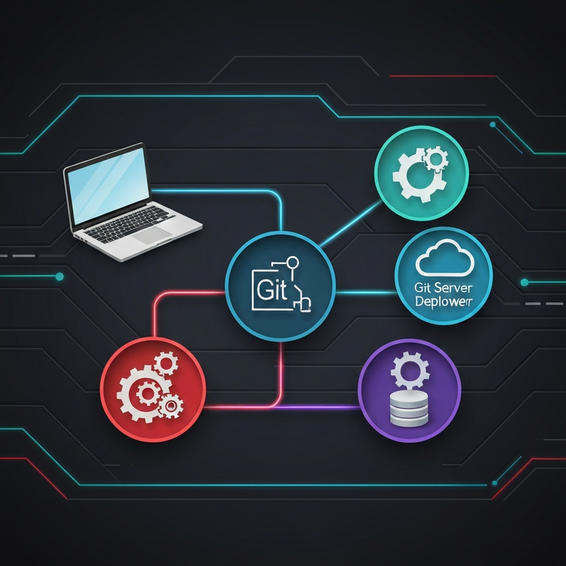
The Ultimate Guide to the Best WordPress Developer Tools in 2024
Building fast, secure, and truly scalable websites requires more than just a standard code editor. Whether you’re coding a custom theme from scratch or piecing together a complex backend plugin, your chosen tech ecosystem ultimately dictates your efficiency. If you want to streamline your workflow and avoid the massive headaches of manual configuration, finding the best wordpress developer tools is absolutely essential.
Today’s clients expect a lot: lightning-fast load times, flawless execution, and architectures that scale seamlessly. Without the right tech stack, it’s incredibly easy to get bogged down by slow local environments, tedious database migrations, and unoptimized PHP code. Let’s face it—manual configurations almost always leave room for human error. Thankfully, the WordPress community has cultivated a brilliant ecosystem of utilities designed specifically to solve these exact headaches and automate the boring parts of coding.
In this guide, we’ll dive into everything from everyday debugging plugins to advanced local setups and CI/CD pipelines. Whether you work at an agency, freelance on the side, or manage enterprise-level sites as an IT pro, adopting these solutions will fundamentally change how you build for the web.
Why Failing to Use the Best WordPress Developer Tools Causes Bottlenecks
Let’s be honest: a lot of us started our development journeys by uploading files via FTP and cowboy-coding right on the live server. While that approach might pass for a quick CSS tweak, it quickly becomes a massive liability for serious theme or plugin development. Most development bottlenecks actually stem from two specific issues: poor environment parity and a total lack of automation.
Think about what happens when your local setup doesn’t match the production server. You inevitably run into the dreaded “well, it works on my machine!” excuse. Tiny differences in PHP versions, database structures, or web servers (like Nginx versus Apache) can trigger fatal errors the second you hit deploy. This lack of synchronization leads to hours of wasted debugging time, frustrating both you and your clients.
To make matters worse, trying to build without proper version control or automated debugging tools is basically flying blind. Manually hunting down a memory leak or trying to analyze a sluggish database query without a profiler eats up valuable billable hours. By upgrading to a modern tech stack, you remove these unpredictable variables and let automation handle the heavy lifting.
Quick Fixes: Essential WordPress Developer Tools
Looking for immediate improvements to your daily routine? Start with these foundational tools. They are beautifully documented, incredibly easy to set up, and offer massive quality-of-life upgrades for anyone writing WordPress code.
- Local by Flywheel (LocalWP): Say goodbye to clunky XAMPP or MAMP setups. LocalWP offers a containerized local environment that spins up complete, fully functioning WordPress sites in just seconds. You can swap out PHP versions with a single click, test SSL certificates locally, and seamlessly push or pull environments to staging servers.
- Query Monitor: If there’s one debugging plugin you absolutely need, it’s this one. Query Monitor essentially acts as a developer tools panel right inside WordPress. It shows you exactly which database queries, scripts, hooks, or external HTTP requests are dragging down your page speed.
- WP-CLI: The official command-line interface for WordPress is nothing short of a game-changer. Rather than slowly clicking through the admin dashboard, you can install plugins, run search-and-replace on database URLs, update core files, and regenerate thumbnails right from your terminal.
- FakerPress: Whenever you build a new site, you need dummy content to properly test your layouts and pagination. FakerPress lets you instantly generate fake posts, users, tags, and featured images so you can accurately simulate a live production environment.
Just by implementing these four essentials, you’ll drastically cut down the time it takes to scaffold a new project and rigorously test its core features.
Advanced Solutions: Enterprise-Grade Developer Workflows
When you step up to large-scale projects, basic local setups won’t always cut it. DevOps engineers, IT professionals, and senior developers need robust, highly customizable environments that accurately mimic complex server architectures. If you’re working on a collaborative team, absolute consistency across every machine is mandatory. Here are the advanced solutions top-tier agencies rely on.
Docker and DDEV
While LocalWP is fantastic for rapid prototyping, DDEV (which runs on Docker) provides unmatched flexibility for power users. It lets you define your entire infrastructure as code. Want to integrate Redis caching, ElasticSearch, or a custom Nginx configuration directly into your local build? No problem. And since it relies on Docker containers, onboarding a new developer takes mere minutes—they just pull the Git repository and run a single start command.
Composer for Dependency Management
Modern plugin development frequently relies on external PHP libraries. But instead of manually downloading and including those files, seasoned developers turn to Composer. It automatically manages your project dependencies, ensuring you’re always using the right, secure versions of third-party packages—all without bloating your Git repository with unnecessary vendor files.
Xdebug and PHP Profiling
There comes a point where a simple `var_dump()` just isn’t enough to solve a tricky bug. Enter Xdebug. This incredibly powerful PHP extension integrates beautifully with IDEs like PhpStorm and VS Code. It lets you set execution breakpoints, step through your code line by line, and inspect variables right in real-time memory. It takes all the frustrating guesswork out of complex backend troubleshooting.
Best Practices for Optimization and Security
Stocking up on the best tools is only half the battle; knowing how to use them securely is what truly separates the amateurs from the pros. Building a solid development process requires a foundation of strict coding standards and automated checks.
- Use PHP_CodeSniffer: Automatically enforce the official WordPress Coding Standards. This guarantees your codebase stays clean, highly readable, and perfectly formatted, no matter how many developers touch the project.
- Version Control Everything: Make it a rule to never edit files directly on a live production server. Always use Git. Create specific feature branches for new work, and require peer pull request reviews before merging anything into the main branch.
- Automate Security Audits: Integrate tools like WPScan into your CI/CD pipeline. This allows you to automatically scan your custom code and third-party plugins for known vulnerabilities long before they ever reach production.
- Optimize Assets: Always use modern build tools like Webpack or Vite to compile and minify your CSS and JavaScript. Doing so drastically improves frontend performance and makes it much easier to pass Google Core Web Vitals assessments.
By sticking to these DevOps best practices, you guarantee that your deployed projects aren’t just beautifully functional, but also optimized and tightly secured against modern web threats.
Recommended Tools and Resources
Ready to actively upgrade your workflow? We’ve put together a curated list of our favorite platforms and utilities to help take your WordPress development to the next level. Weaving these into your day-to-day routine will yield massive productivity gains.
- PhpStorm: The undisputed heavyweight champion of PHP IDEs. It boasts unmatched intelligent code completion, deep native WordPress integration, and completely seamless out-of-the-box Xdebug support.
- GitHub Actions: Arguably the best way to build robust continuous integration and deployment (CI/CD) pipelines today. You can automate your unit testing and effortlessly push code to your staging and production servers.
- SpinupWP: A brilliant cloud-based server control panel. It makes hosting highly optimized WordPress sites on providers like DigitalOcean or Vultr incredibly straightforward and secure.
- WP Migrate Pro: If you regularly pull live databases down to your local machine, this premium plugin is a lifesaver. It handles serialized data flawlessly, sparing you from spending countless hours fixing broken links.
Frequently Asked Questions (FAQ)
What is the best local environment for WordPress?
For the vast majority of freelance developers and designers, Local by Flywheel is the ideal starting point thanks to its gorgeous interface and extreme ease of use. However, if you are part of an enterprise team that requires strict infrastructure-as-code and containerization, DDEV or a custom Docker setup is the true industry standard.
Do I need to know PHP to use WordPress developer tools?
You can certainly get by using utilities like LocalWP and basic WP-CLI commands without deep programming knowledge. But to squeeze the absolute most out of tools like Xdebug, Composer, and Query Monitor, you really need a solid grasp of PHP. Knowing the language enables you to write custom functionality and properly debug tricky server-side errors.
How does WP-CLI speed up development?
WP-CLI completely removes the need to click through a slow web interface for basic administrative tasks. With just a single command-line bash script, you can download WordPress, create an admin user, install ten of your favorite plugins, and activate a theme—all in under five seconds.
Are paid WordPress dev tools worth the cost?
Absolutely. Premium tools like PhpStorm and WP Migrate Pro pay for themselves almost immediately in the billable hours you save. Time spent manually migrating massive databases or hunting down a single missing semicolon is money lost. Treating these tools as professional investments yields an incredibly high ROI.
Conclusion
Upgrading your technical workflow is easily one of the most profitable and satisfying investments you can make for your engineering career. When you finally step away from risky manual FTP edits and fully embrace modern automation, you’ll see a dramatic drop in code errors, a boost in security, and a massive increase in your coding speed.
From accessible local environments like LocalWP to advanced PHP profiling with Xdebug, today’s ecosystem is purposefully built to support robust, scalable engineering. If you want to stay competitive and deliver top-tier results in the fast-paced world of web development, adopting the best wordpress developer tools isn’t just an option anymore—it’s a professional requirement.
Start small. Try integrating WP-CLI and Query Monitor into your next project, and then gradually introduce more advanced tools like Composer and GitHub Actions as your confidence grows. Your future self—and your clients—will definitely thank you.
About the Author